Showing posts with label Minecraft Monday. Show all posts

Monday, 15 June 2015

Modded Minecraft Monday - Week 1 - Farming

Hi everybody. We're a week into the lets play, so I'd like to show you what I've been up to.
I've mostly been playing it safe and trying to set up a defensible home base with renewable food supplies before I venture out into the wilderness.

Tree-houses are super defensible! :3
Initially I collected as many different types of seeds as I could get my hands on. I quickly realised that the Moso Bamboo that grew nearby was extremely useful as building material as it can be replanted anywhere, grows quickly and can be harvested quickly as well. I used it to set up fenced fields and lit them with torches made from coal ores in a nearby mine shaft.

Quick growing crops, plentiful and useful as building materials :3
You can barely tell that's a Treehouse on the left! :D
Having established a base, I decided to explore my immediate surroundings and found a nearby village with an empty house, a Tinkers Construct Forge & Tool-house and a MystCraft vendor's house. For now I will leave this village be so it doesn't get taken over by zombies, but I might come back for that forge later. There was also a floating sky village and a floating dungeon, that could both be seen from the village on the ground, but for now they are out of my range.

It's a village.. but in the sky... :O
 There were two minor changes to the mod-pack during this first week. 
First, I found it extremely easy to locate loot bags, which seemed to drop from every second or third enemy and often contained quite powerful gear, including enchanted diamond armour and tools. This obviously unbalances the game severely, especially since the Lycanite's mobs mod was removed last week, which made surviving aggressive mobs much easier at night time. I tweaked the config file for this mod so that the chance of a loot bag being dropped by any mob is 10 times less likely.
The second change was to add the mod called Natura, which simply adds some grow-able food crops and bushes and spawns great, huge, Redwood trees into the game, which make great tree-houses.

Now that I've established a nice home base, I'll be highlighting a particular mod for a week at a time so that anyone playing along can explore all the nuances of the individual mods, that they might have missed otherwise.

If you are playing along at home, I have updated the download link below to include the extra mod changes and the map that I'm playing on, as it is now. You can use it to see what I've been up to yourself and explore all the stuff that I've been toying with. I always loved seeing how other people built their worlds in Minecraft servers online and I figure you guys would like it too :3

A word of warning though. My computer may be 5 years old now, but it has a decent graphics card, 8GB of ram and an i7 cpu. My computer plays it ok given plenty of ram and patience, however it's extremely slow and laggy when new areas are loading for the first time and it can take several minutes to start up every single time. One of the main reasons for settling in and setting up a home base was to give the rest of the game time to generate and settle so it could be played smoothly. If you have the patience (or a super-computer?) go for it! Otherwise, you might want to pass on it.

Monday, 8 June 2015

Modded Minecraft Monday - Failure & Renewal

Hello everybody. It's time to check in on our modpack lets play.

Unfortunately there have been a few small issues with the modpack, so whilst I have been playing it for the last week, I eventually found some issues that forced me to make some changes before starting the official let's Play. 

First of all was the difficulty curve. I had intended to make the game a bit more challenging to survive in, but I may have gotten a bit carried away.

I lost count of the number of times I died when the sun went down...
It was extremely difficult to survive at night due to the large quantity of powerful hostile mobs that would spawn in darkness. Lava was also nearly impossible to get close to, as several highly powerful mobs would spawn in the lava, both underground and on the surface in lava pools. I was also notified by a user that starting a new map was impossible since the modpack would crash immediately upon the world loading. After a bit of error tracing, I found the culprit was the Lycanite's Mobs Mod, which would crash the game when trying to spawn the player for the first time. Noticing an opportunity to kill two birds with one stone, I simply removed Lycanite's Mobs which solved both issues. I also changed the starting health amount to the default of 10 hearts instead of 3 since most mobs were one-hit killing the player, which is no fun. It is no longer immediately suicidal to venture outside when it's dark and players can successfully start new worlds.

Next was the limitations of wooden chests and default vanilla bookshelves not actually storing books...
No house is complete without an attic library :3

I added two new mods in order to make chests that could be upgraded with iron, gold, diamond and obsidian to increase their inventory size and to make bookshelves which actually store books for visual appeal and easy retreival :3

Additionally, there was a bug where it was impossible to craft a stone button. Ordinarily this wouldn't be an issue since the underground biomes mod adds buttons for each stone type, however the pokeball mod won't use those buttons. Only the default vanilla stone buttons.

I had two options. Either I could just make buttons something you had to find in dungeon loot only, making pokeballs extremely rare, or I could add another mod that allows me to fix the recipe that is broken. I opted for #2 so you can now craft buttons the way you're supposed to be able to.

Now I did get a full week of gameplay out of this modpack, however when I went to open minecraft a few minutes ago, my map's level data was corrupted. (probably as a result of me pressing the shutdown button without realising Minecraft was still running... Save worlds before shutting down kids) so this might be a good time to start a new map for the new modpack configuration.

I chose to simply provide you guys with a seed this time instead of the entire map files. That way the file size of the modpack will be reduced and you can regenerate the map if you have issues.

I allowed cheats for screenshot purposes only.
I visited a site that converts text into binary and typed in "Gettin My Geek On" but that was way too long in binary, so I simplified to "GMGO" which turned out to be "010001110100110101000111" in binary, so I used that for the new lets play map. I'll be starting that next week, but here's what I've been up to for the last week.

I spawned near the ocean and decided to create my base on top of the water to make it more difficult for enemy mobs to enter my safe areas.

Cobblestone appears to float surprisingly well!
Nearby I found several fruit trees. These are perfect for a renewable food supply, so I cut down an apple tree to get some apples and saplings. In order to make a sapling that will grow into a fruit tree, you need to combine a sapling and a peice of fruit in a crafting area.

Nope. Not ripe yet.
After setting up a base and a farm with some apple trees nearby, I decided to set out to find adventure. I headed west by boat and a short distance away from my spawn area I spotted this giant brick structure underneath the water that seemed to be made up of a lot of square rooms.

The thing under the water... I know there's a floating island there lol
I decided to investigate and discovered a massive sprawling underground Treasure dungeon from the Dungeon Pack mod. On another nearby island I also found my first lucky block. When I destroyed it, two more lucky blocks spawned with a sign in between them. The sign simply stated "one is lucky, the other is not" however one spawned a bunch of cool vanilla items like hoppers, chests, buttons, redstone torches and other useful tidbits and the other spawned a lucky villager. I got lucky. One of those blocks could have killed me instantly.

Jokes on them. Both were lucky :3
I also found some Chocobos and brought them back to base with pokeballs :D
I ventured into the dungeon a few times and got some interesting loot, but not long afterwards I shut down my pc whilst the game was running and my world corrupted.

I updated the modpack and it can be downloaded at the bottom of this post if you want to try it out.

I have done my best to make the game fun and more diverse, but as with all modpacks you should expect bugs and crashes ocasionally. Most of the time you can just relaunch Minecraft and continue where you left off though.

Ok, well that's about it for this week. I'm writing this week off as bug-testing time and going to start fresh for the next post. See you then! :D

Modpack Download Link: https://dl.dropboxusercontent.com/u/76107282/GettinMyMinecraftOn.zip

Monday, 1 June 2015

Modded Minecraft Monday - The Modpack Contents


Hello again. I have been fairly quiet for a bit and this post explains most of the reason why. I have been assembling a collection of mods for a modded Minecraft playthrough and, as anyone who has explored minecraft mods can attest, it's pretty addicting to keep adding new mods when you come across them. I have finally settled on a list of mods that I'm happy with so it's time to start a Let's Play series of blogs.


To begin with, I'd like to state that I'm not particularly a fan of modpacks like Technic or FTB. I have enjoyed playing them in the past, but I feel like the extra machinery and pipes and wires overcomplicate and distract from the core minecraft experience. Thus I have tried to stick to mods that, whilst adding new content, accentuate or expand on the core minecraft experience without overcomplicating it.

There are a lot of new hostile mobs added which does make the game rather difficult at night time, but hopefully I've balanced it out with enough extra ore and loot mods to make your arsenal much easier to upgrade quickly. The Extra Health Enchanted mod also starts you off with only three hearts and allows you to expand your maximum health by leveling or adventuring in dungeons, thereby allowing for a much better difficulty curve. It should be really hard at first, but as you level and progress through the game it should get significantly easier to survive.

Modpack Contents:


  • ExtrabiomesXL - Adds 28 new biome types to the game for added landscape variety.
  • Pam's Mods - Adds tons of new  plants and a few minor tweaks. 
    • Harvestcraft - New farmable crops, fruit trees, bushes and food.
    • Desertcraft - New desert flora
    • Random Plants - New Venus Fly-Trap plants.
    • Mob Drop Crops - New rare plants that drop hostile mob items like bones and ender pearls.
    • Wheee Flowers! - More flowers!
    • Bonecraft - Adds fossils to terrain generation which drop bones when mined.
    • Clay Spawn - Clay will now also spawn underground with the same rarity as iron ore.
    • Get All The Seeds - Adds all of the available seed types to the list of drops when breaking tall grass. New seed types will drop extremely rarely. 
  • Plant Megapack - Adds tons of new plants!
  • Underground Biomes - Adds different types of rock that have their own biome types underground. Lots of new stone types to play with!
  • Dungeon Pack - New randomly generated structures, including large underground dungeons and ships on the water!
  • Mystcraft - Based on the game and book series. Allows the crafting of books that contain entire worlds based on the runes you use to define that world.
  • ChickenShed - Chickens will now randomly drop feathers like they do with eggs.
  • WAILA - "What Am I Looking At?" is a mod that provides a HUD at the top of the screen that describes what what you are looking at and what mod it comes from. (Needed this to keep track of all the ores and underground biomes rock types)
  • Mr Crayfish's Construction Mod - Adds a block that will build a building for you. You still need to gather all the materials required and spend time punching the block to build it, so this is more a way of creating templates to rebuild a certain building than a cheat. It balances out with the recipe requirements anyway.
  • Easy Crafting - Adds a new crafting table with a more expensive recipe that shows you everything you can make with the items in your inventory. You click the object you want to make and it creates it for you using the items in your inventory. Works much like the console crafting menu does.
  • Fast Leaf Decay - Because I hate floating leaf blocks when I cut down a tree...
  • Minecraft Graves - Instead of dropping everything, the game will spawn a gravestone containing all of your items where you died. Saves your items, but you do have to get back to where you died to retrieve them.
  • Harder Peaceful - Removes the automatic player health regeneration feature from Peaceful mode and enables hunger in Peaceful mode. Food now has a purpose in Peaceful mode! :D
  • Infernal Mobs - Adds rare variants of regular mobs with randomised Diablo-stlye buffs. Kind of like mini-bosses.
  • Item Physics - Items will drop to the ground properly without sitting there and spinning in place.
  • More health Enchanted - Start with only 3 hearts of health maximum. Leveling will add more hearts. Hearts can also be added using items crafted from heart containers, found in dungeon chests. There is no maximum quantity for hearts so it makes you more resilient as you get further into the game.
  • Dual Hotbars - Adds another 8 slot hotbar that uses the top row of your inventory. I often find myself short on slots, so having 16 instead of 8 really helps :3
  • Lucky Blocks - Mining this block is like pulling a slot machine. You might get killed by an unlucky Lucky Block and you might get some awesome loot from a really lucky Lucky Block.
  • Roxa's Tall Doors - Adds doors that are much larger than the default doors. (2x3 and 3x4 etc)
  • Carpenter's Blocks - Adds slopes to minecraft! :D
  • ComputerCraft - Adds programmable computers and robotic blocks called turtles that can build, mine and farm for you if programmed correctly.
  • DecoCraft - Decorative blocks and furniture.
  • Greg's Lighting - Redstone floodlights that can project light down a hole or corridor.
  • Horizontal glass - Glass panes that can be placed horizontally as a floor or roof.
  • Luppi's Ladders - rope ladders that can hang from a ledge, strong ladders that can stand unsupported and blocks that will retract both when powered with redstone. (good for treehouses)
  • Deconstruction Table - Found some loot but have no use for it? Break it down to its core components and recycle! :D
  • Mr Crayfish's Furniture Mod - More decorative furniture :3
  • Malisis's doors - Adds a smooth swinging animation for doors, makes double doors act together and adds new customisable door types.
  • Mowzies Mobs - Currently only adds a larger, animated and far more nasty version of a Venus Fly Trap to the jungle biomes.
  • Butterfly Mania - Having 202 new types of butterflies fluttering around just gives the game an extra feeling of life.
  • Choco Craft - Adds tamable, breedable and ridable Chocobos!
  • Mo'Creatures - Adds a large number of Animals and Peaceful mobs as well as some enemies.
  • Backpacks - Adds backpacks in two sizes and multiple colors. They take up one inventory slot and when right clicked, open a chest-like inventory to store things in.
  • Loot bags - Enemies have a chance to drop a bag full of loot on death. The common bags could have some seeds and a scrap of leather and legendary loot bags might have enchanted diamond armour and a rare weapon. Its all random. Added this one to balance out the difficulty of all the new hostile mobs.
  • Lost books - Mostly just adds any books the player dropped and lost to a list and enemies have a chance of dropping them. Can also customise with your own unique book sets.
  • Pokeball Mod - Adds a ball that a single entity can be stored in. Store enemies or friendlies by right clicking to throw it at them. Good for relocating animals and villagers.
  • Xeno's Reliquary - Adds a bunch of craftable relics that have special effects.
  • Tinker's Construct - A smelting and tool crafting mod.
  • Balkon's Weapons - Adds a bunch of new weapon types, including a firearm.
  • More Bows - Adds new craftable bow types.
  • Not Enough Items - A searchable list of all items in the game. It shows the recipes and uses for each item and can be narrowed by item type or mod. Very useful.
  • Bibliocraft - Usable bookcases, shelves that display their contents and more.
  • Iron Chests - Upgradeable chests.
  • Better Foliage - Leaves blocks now have additional leaves to break up the blockiness and grass blocks now have short grass sticking out the top.
In addition to trying to find a 64 pixel texture pack for the majority of these mods, there are also a few core mods installed, that these mods rely on, that I didn't name as well, for brevity's sake.

Example of folder structure
If you want to play along, I have packaged up the lot and stuck it on my dropbox so you guys can grab it HERE if you like. It's ready to go with all the mods already set up and a copy of the same map I'll be playing in. You will need your own Minecraft account in order to play it though, if you so choose.

Please keep in mind that the custom minecraft launcher I made, to run it in the downloaded folder instead of in the user folder, is sensitive to spaces in folder names and long file paths. 
Best to put the lot in "C:/Minecraft/" to avoid issues. You will need the two files "Minecraft.exe" and "PortableMinecraftLauncher.hta" in there as well as the "GettinMyGeekOn" folder (which contains the game + mods + the map).

Once it's set up like this, it won't affect any other modpacks you have installed. It will just run isolated in that one folder. You will have to launch "PortableMinecraftLauncher.hta" (by double clicking) instead of "Minecraft.exe" though, in order to make it run locally.

Ok, well that's about it for the contents of the modpack so I should probably go start playing now. Since the spawn area for this map is relatively close to the ocean on the beach, I might build my base on the water :3

I really hope there are no sharks around here...


See you next time! :D

*Edited Monday 1/6/15 - Added two new mods (Iron Chests & Bibliocraft) & included another mod that was not mentioned in the list (Better Foliage). Modpack on dropbox has also been updated to include the two new mods.

*Edited 5:55pm Tuesday 2/6/15 - Bugfix - Player spawn crippled, so new worlds would crash immediately. - Removed Lycanites Mobs Mod and it works just fine now. If you don't want to redownload, just go to C:/Minecraft/GettinMyGeekOn/.minecraft/mods/ and delete "LycanitesMobsComplete 1.10.13.2 [1.7.10].jar". That should fix the problem. Otherwise, the dropbox link should update within about an hour and then you can download that instead.

*Edited 6/6/15 - I have been made aware that this modpack breaks your ability to create buttons from stone and thus some specific mods (pokeball for example) will not work with the underground biomes buttons. I have added a new mod that adds in a new recipe that does the same thing. I will update the downloadable copy when I make my first Let's Play post on monday.

Monday, 25 May 2015

Minecraft Brain Training

Recently I've been pondering on all the pro's of gaming. Last Monday I posted about how Minecraft is educational. Check it out here. This lead me to realise that Minecraft is also great for adults as well to exercise our brain. Using our brain to conquer puzzles, test our memory, solve problems and be creative keeps our minds strong in these areas.

You could go ahead and do brain training exercises... *yawn* Personally I find this a chore... Or you could simply play Minecraft. Here's how Minecraft keeps our brain strong!

1. Minecraft tests our memory 

There are so many recipes to remember to build tools and supplies in Minecraft, while you can go ahead and look them all up, that gets overly tedious, so it's much easier to just remember the ones you need to make often such as your tools which break over time and food.


2. Minecraft helps you with your directional sense


Personally, I need help with this, direction is not my fortè. Minecraft requires you to go exploring, having a strong sense of direction is a huge plus because not only do you need to find your way back out of a cave or back home but you may also need to do it in the dark. This also once again, tests our memory.


3. Minecraft requires you to solve problems and gives you multiple ways to do this


For example you have a hunger bar and need to make sure that it doesn't drop all the way down or your character will die. You can kill wild animals for food but you must also cook the meat, you can grow wheat to make bread and even bake a cake. Just like crafting tools and items, some food requires a few items to create.


You also must survive the monsters which appear at night, your best bet is to create shelter and perhaps build a bed to sleep through the night. You also need to equip yourself with weapons such as swords and/or a bow and arrows.


The monsters become harder as you gain experience and level up. To better your chances of staying alive you can create armor and better both your weapons and armor with stronger materials and enchants.


While you can simply survive and build your dream home and even a whole city, you can also take on the adventure of slaying the Ender Dragon; the end game boss. This brings up a whole new list of problems to solve which I'll leave for you to discover.


4. Minecraft is a creative game


You start in the vast wilderness, with different types of landscapes; such as desert, jungle, forest and snow plains. It's entirely up to you what you will do. You could build your dream home, build a city or pretty landscapes, build gardens, build a giant statue of your favourite character, build a roller coaster, build a train system, have an animal farm, explore the world or strive to slay the Ender Dragon; the lists of what you can do are endless. 


Being creative while having to also think logically connects and strengthens both sides of your brain. It's just as important to exercise the creative and subjective side of your brain as it is to exercise your logical and objective side. While our society tends to favour logic and rational thinking, our culture is beginning to realise our right side allows us to be imaginative, create and problem solve through thinking outside the box and transcending ideas altogether.

5. Minecraft is a puzzle game


 Minecraft requires problem solving skills such as logic and remembering patterns. You may remember SighFye's post about him making a binary clock in Minecraft, take a look here. You can also find and solve puzzles that people have created, such as The Puzzles of Hydro Map.


And if you're up for more of a challenge, you could create your own puzzle. 

6. Minecraft helps develop your math skills


Along with remembering patterns to create items, you also need to use math when you want to create multiple items at once in recipes or when you're building. You'll be using math from addition and subtraction to algebra.


7. You can test your current skills in programming or learn how to code


You can build customized features into Minecraft by coding modifications into the game. Minecraft provides a fun platform to learn how to program, even 8 year old's are learning how to code with Minecraft.


The survival aspect along with the freedom to be creative and do what you want makes Minecraft the perfect brain training game!

Have fun strengthening your head muscle but don't forget to exercise your other muscles too ;)

Bellistik

Wednesday, 20 May 2015

Kill The Beast: Ep3: Theres no place like home

Hey guys, today is Way Back When's Day and I thought I would do my Minecraft series today because well it was supposed to be done way back on Monday.


Last time I left you guys, we had had a major battle with cave spiders which almost ended it for me. Well that battle took all my food so I needed to find some more. In previous days of playing, I have found that fishing is a great source of food. After the epic cave spider fight I had managed to pick up a lot of string. So I made myself a bow and a fishing rod.


With my new tools in hand I set out to find a fishing hole. On the way there I found my world had become corrupt, with a massive chasm. I saw in the chasm my torches so I knew my cave had now become useless, or at least difficult to navigate.


I started fishing in a local river. About ten minutes past and I had not caught a single fish. Maybe I was doing it wrong. I decided to move location to try somewhere else but once again, in about ten minutes, I had only caught one fish.


I decided it would better to look for some cows, sheep or chickens instead. But my luck was not too good in this frontier either. As night time fell I was still without food, my hunger running lower and now I had to fight the monsters of the dark.


After about fifteen minutes I stumbled across a cow stuck in a tree. I was saved.


But my night was not safe yet, monsters started to arrive. I first saw a skeleton but managed to take him down with ease.


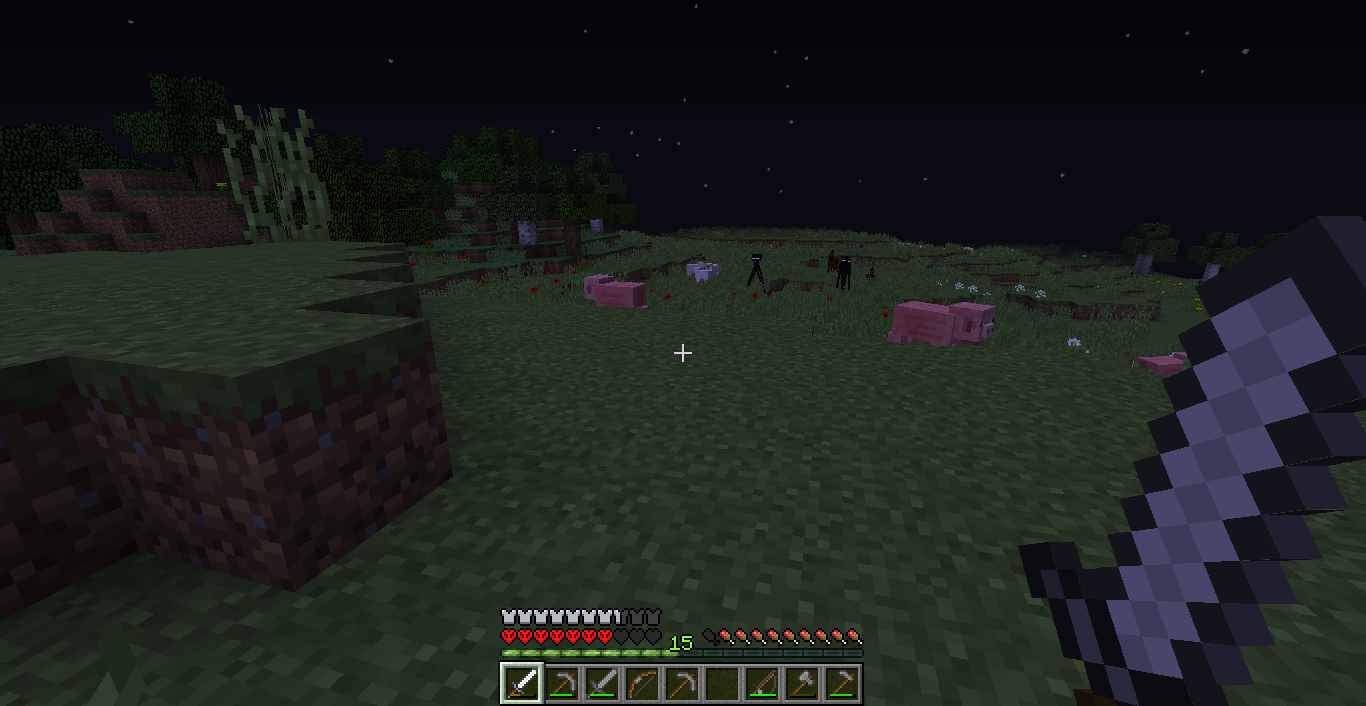
But turning the corner I ran into big trouble. A whole horde of monsters coming at me.


The closest creeper even managed to get close enough to attack.


Every where I turned more and more monsters came out of the night.


By this time I was well and truly lost. I had no idea where home was, no idea which way to turn so I went for a new plan, to find a village. Villages are great with enough food to sustain me and rooms to hide.  I climbed into the trees to get a higher view, and a rest from the mob behind me. I saw clear land, land where villages are likely to spawn.


But heading there gave no relief from the mobs, in fact I ran into two enderman. Luckily I already knew to avert my eyes and all is fine.


It wasn't long until I found this little cove with plenty of food, that I can raise and a horse I could tame. This would be my new home.


And as the sun rose to clear the land of any more monsters I thought, today will be a better day. Today I start a new.


Thanks for reading guys. Feel free to leave a comment, +1 or share the post. You can also follow me on twitter.

Geek it up readers :P

SighFye

Monday, 11 May 2015

Kill The Beast: Ep2: Attack of the Cave Spiders

Last week I left you on the edge of a deep chasm, wondering what would be down there.
Well I decided to walk away from the chasm and take my iron ore home. After all a bird in the hand is worth two in the bush. I had 33 iron ore which was more than enough to make myself a full set of iron armor. I threw the iron ore in my furnace and decided to make haste on building some walls. After all I hadn't seen any monsters yet so they were sure to be coming soon enough.

A full cobblestone wall with a trench around the sides will prevent any monsters from coming in. I suddenly hear the groans of a zombie and decided it was time to collect first blood. The zombie was in a small hole in the ground which lead no where but it was the beginning of many battles.
 Back at base i made myself a full iron suit and all the iron tools I needed. With an iron axe I collected wood to build my roof and secure my base with heavy doors.
With my base secure and my armor complete it was time to return to the chasm. Heading into the cave I stumbled across another zombie and prepared to attack.
I was getting lost in the cave and couldn't find my way back to the chasm. Without warning I fell. The fall must have been about ten to twenty block high but I survived with minimal damage.
I looked down to realise I had fallen into the chasm I was looking for. A stroke of luck had me land on a small ledge. This could have been the end of my quest so early into the game. I had to be more careful.
I decided to head down, after all this is why I wanted to come back. Digging a stair well  into the edge of the wall I found myself at a cave. The chasm went deeper but I wanted to explore this level first.
 Things were starting to get confusing within my cave and I was afraid I would not find my way home. A torch on the ground would be a perfect sign to follow. 
Following the cave I emerged at the surface. A quick look around I noticed I was right near my wheat field. Mental note: this may be a quicker way home from here.
I headed back into the cave and made another mistake. I accidentally cut the stone underneath me while descending the chasm and once again I fell. This time much further and I landed much harder.
I think if I had done this without my armor I would surely be dead. Luck favoured me on this episode and in more ways than saving my life. I looked around and found I had fallen right onto a mineshaft.

I could hear the sounds of spiders running close by. Lots of spiders. I climbed onto the platform and was attacked by a poison cave spider. I managed to kill it but I was poisoned. My health dropped quickly.

It stopped within a few hearts from death. I quickly ate a chicken to bring up my health and went forward on my journey. Around the next corner I stumbled upon a cave spider spawner. Cave spiders came at me from every corner. Each one of them delivered a poisonous bite. But once again luck shined on me. I had just enough food to keep my health up and just enough time to fight each spider separately. In the flurry of spiders I didn't get a chance to get a screenshot but I did manage to destoroy the spawner.
After being so close to death, so many times, it was time to call it a day. I headed back to base and made my mind up to explode the mine system next week.


If you like this series please +1 the post and share it with your friends. You can also add me on twitter.

Until next time, Happy Mining.

SighFye